
If you need to start over, TimelyGrader gives you the option to reset grades and feedback on an assignment. This action will delete all student submissions and erase any existing grades or feedback.
⚠️ Warning: This action cannot be undone, so make sure you have the correct assignment before proceeding.
When to Use the Reset Option
💡 Good to know: To ensure all students are graded using the same criteria, assignment settings can’t be changed after submissions are uploaded. If you want to update the assignment setup, you'll need to either make a copy of the assignment or reset grades/feedback before you can make changes.
1. Open the assignment you'd like to reset grades and feedback for
2. Click the "Reset Submissions" button
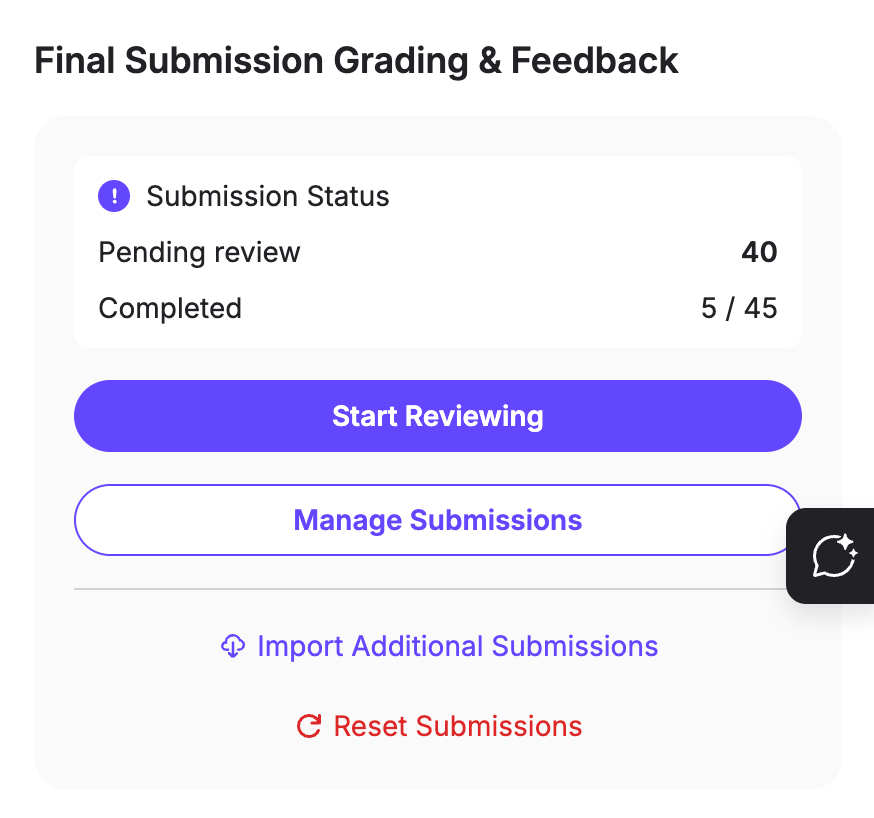
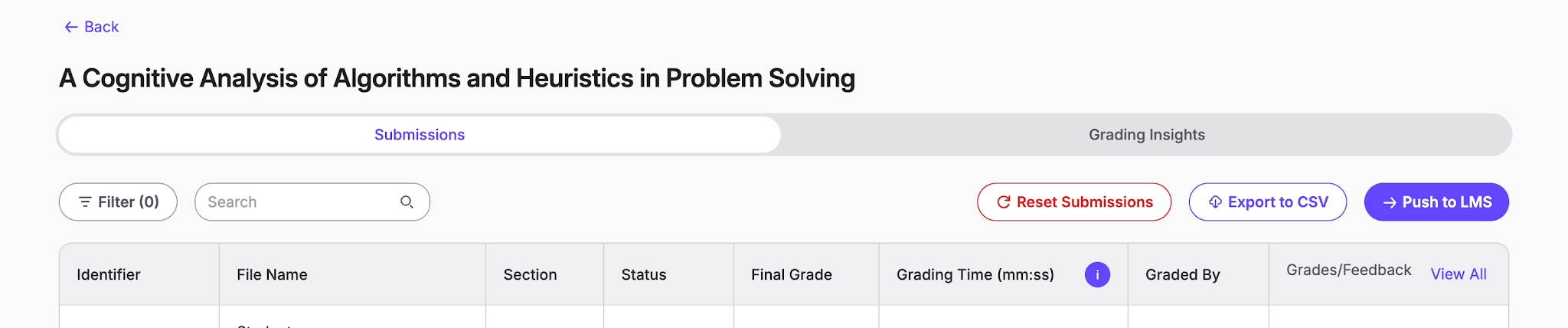
You can also go to "Manage Submission" page, then click "Reset Submission".
3. Confirm that you want to delete all submissions, grades, and feedback
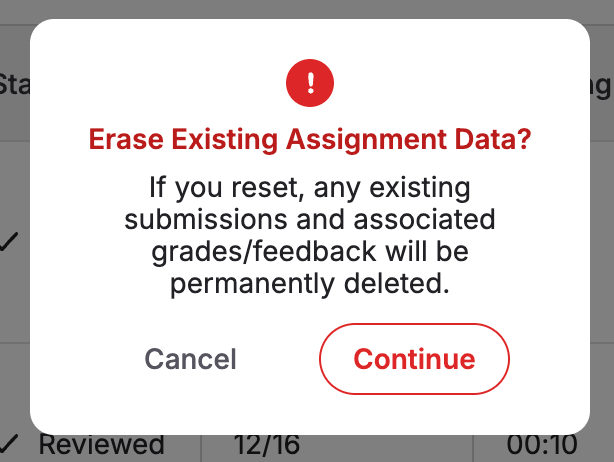
Once you click "Continue," all uploaded submissions and their associated grades and feedback will be permanently deleted. You’ll then be able to update the assignment setup and/or upload new submissions for grading.