
TimelyGrader’s Feedback Regeneration feature helps you produce more accurate, precise, and actionable feedback for students with your guidance. It’s designed to refine comments when the AI's original feedback doesn’t fully highlight the ideas or points you intended.
How it works
1. Let AI process the submissions and provide ‘first-pass’ feedback.
Once TimelyGrader has processed your student’s submissions, initial feedback is generated based on your assignment rubric and the fine-tuning you have done with advanced settings.
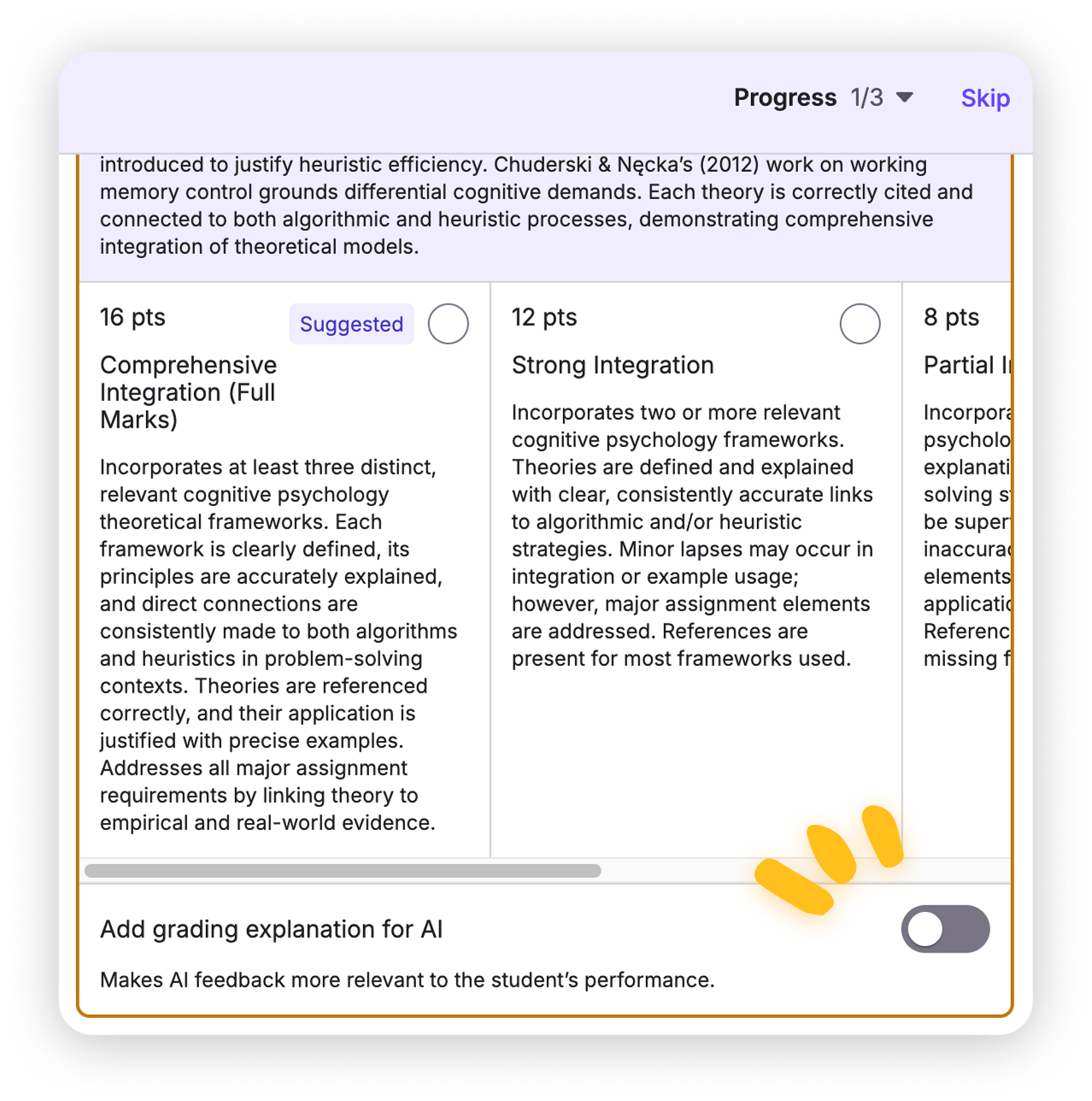
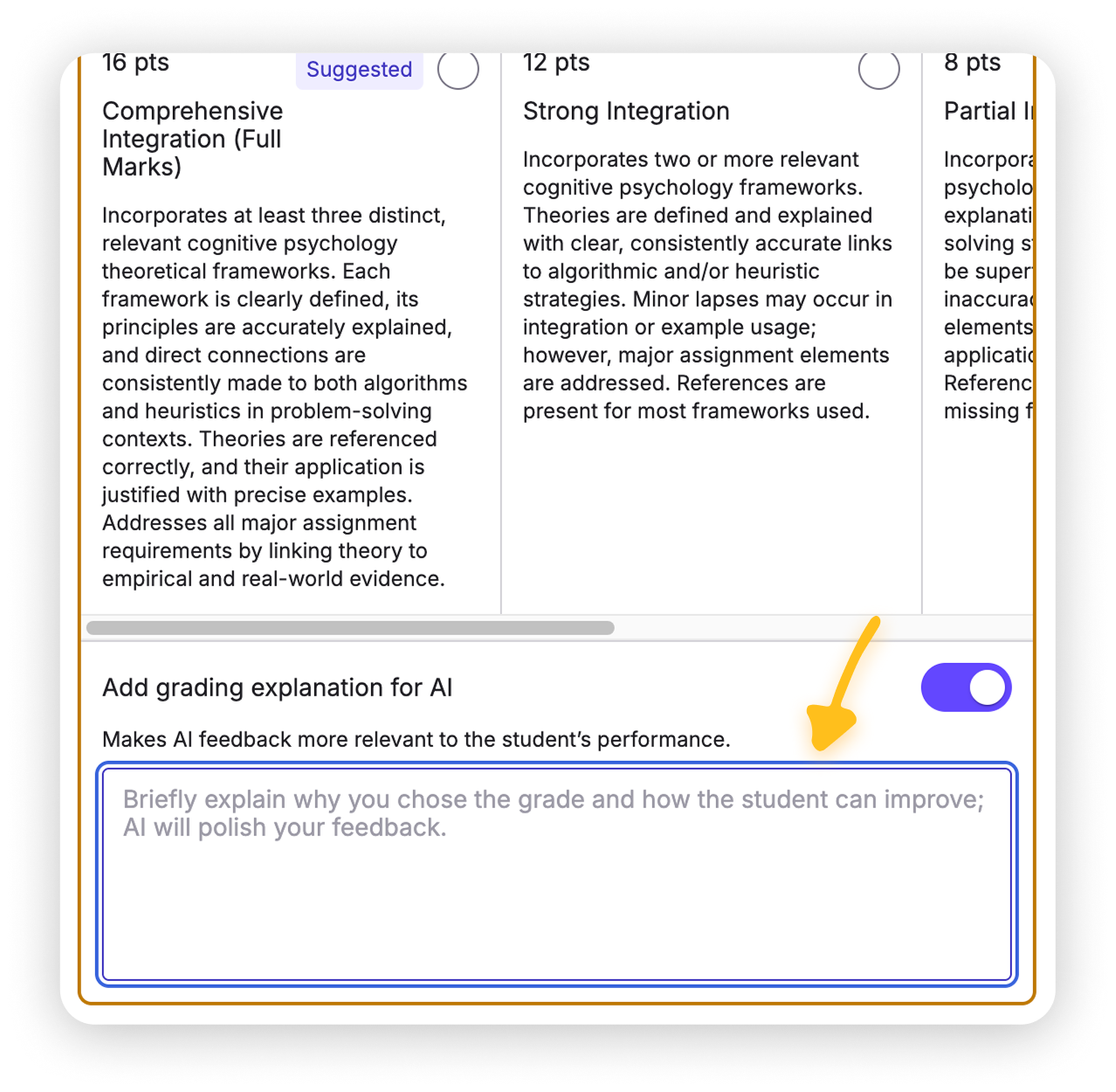
2. Refine feedback in "Add grading explanation for AI" section
Refine feedback by providing your explanation of the level change in the "Add grading explanation for AI" section on the Grades Tab.This allows you to specify what points to emphasize or clarify.
3. Click "Regeneration"
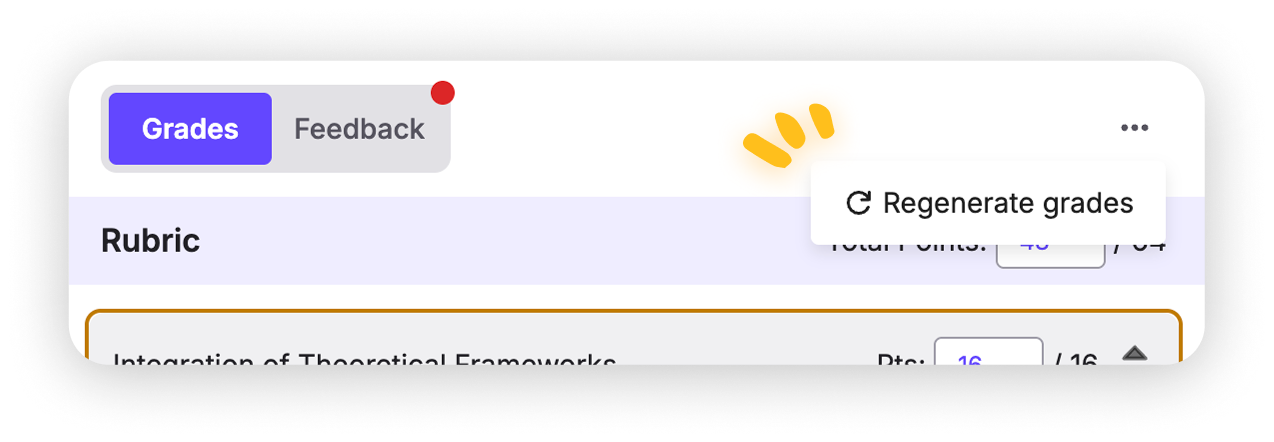
You may find the regeneration button from top right menu "..." and regeneration will replace current feedback based on your input.
Note: Regeneration fully overwrites the existing feedback, so be sure you’re ready to replace it before proceeding.
FAQs