[Canvas] User Guide: TimelyGrader Installation Guide
Learn how to install, connect, and configure TimelyGrader within your Canvas course
There are two main ways to install TimelyGrader into your course: 1) via the LTI integration 2) via the API integration.
1) Via the LTI integration using External Tools addition
If your institution has installed the LTI 1.3 integration, then you can simply add TimelyGrader as an external tool to a module on Canvas or it may already appear in your navigation (depending on Admin control)
From within target Canvas course and module
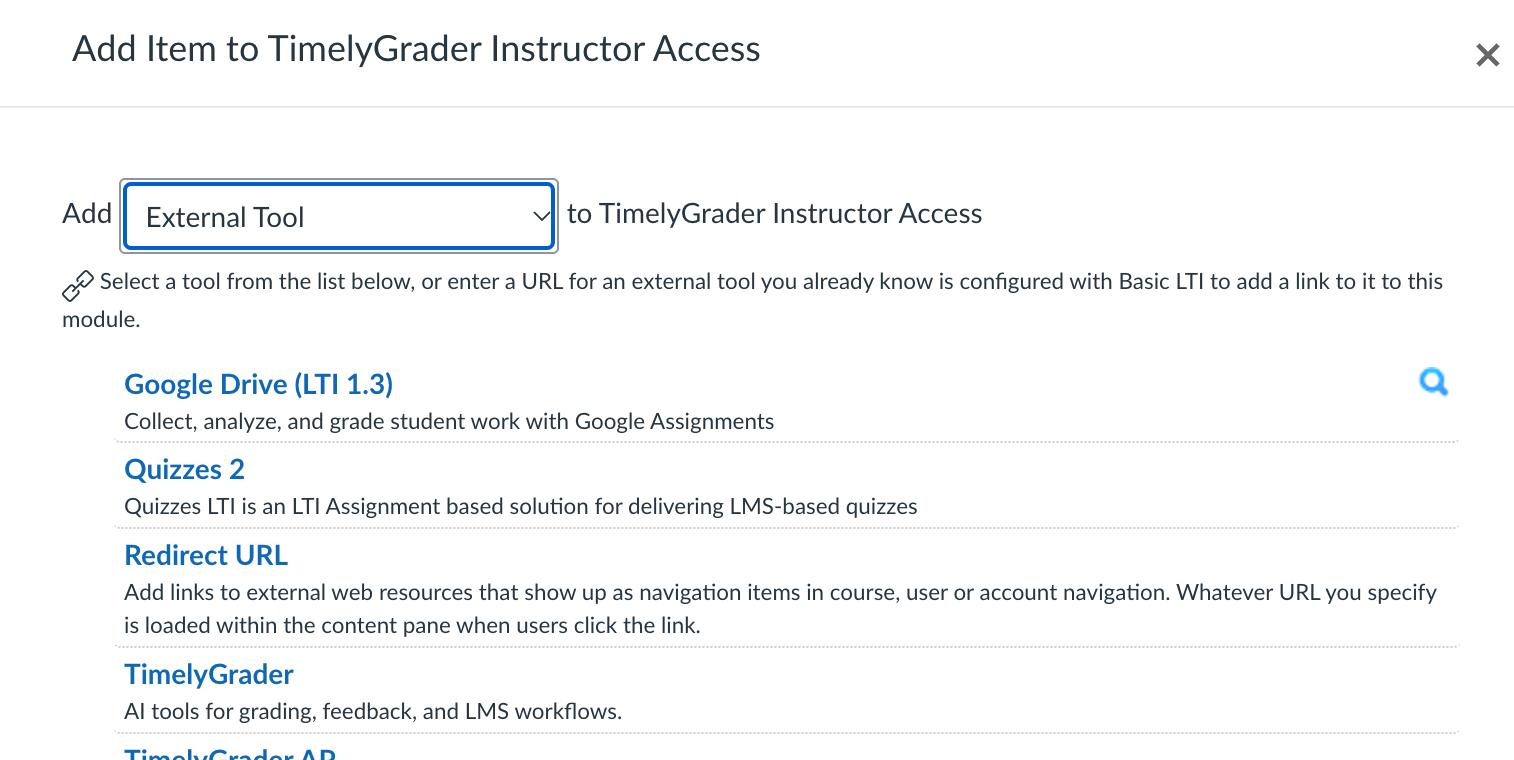
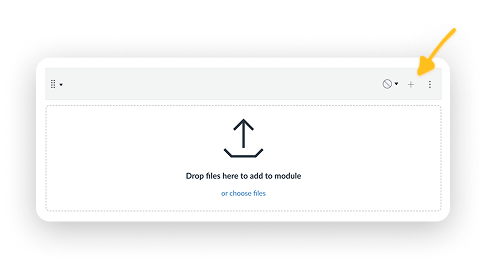
Click + on top right corner of the module
Click on External Tool and find TimelyGrader
TimelyGrader will appear as a link and unpublished by default.
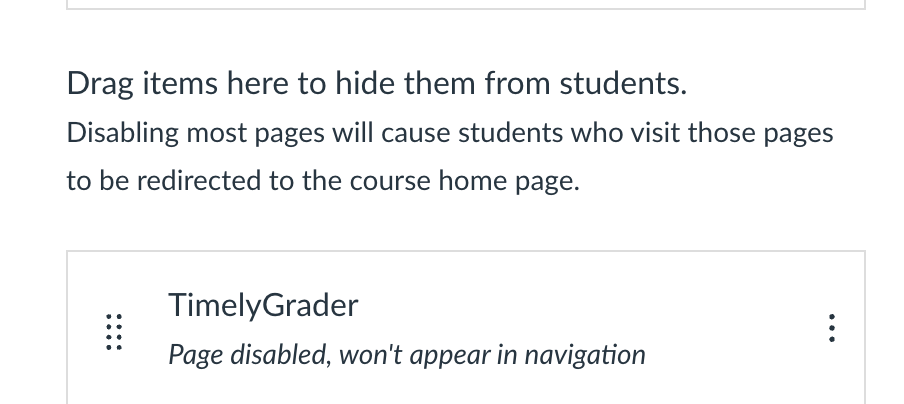
If you would like to add TimelyGrader as a sub-navigation button, go to your Course Settings page and find Navigation.
You will find TimelyGrader at the bottom. Drag TimelyGrader to a desirable location and save.
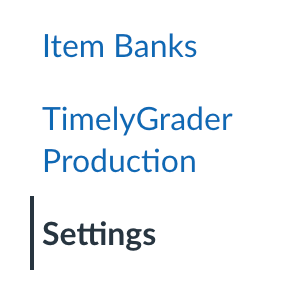
TimelyGrader will now appear in your sub-navigation.
2) Via the API integration using URL addition
From within target Canvas course:
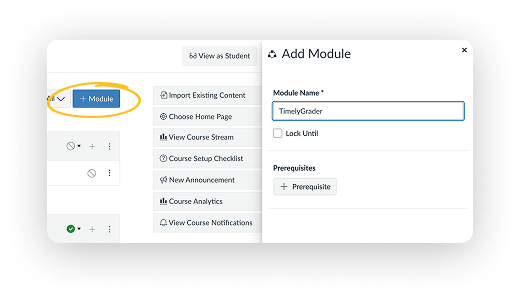
Click +Module on top right corner
Input new module name: “TimelyGrader”
Click Add Module
2. Go to Module Page and fine new module (TimelyGrader)
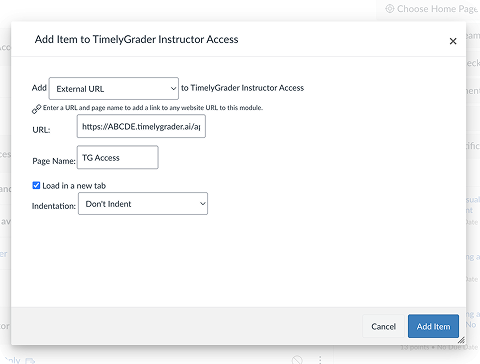
Add Item (click “+” icon)
External URL Title “TG Access”
3. Paste this URL:
https://{ABCDE}.timelygrader.ai/api-launch/
(NOTE: replace ABCDE with your institution name. Contact your LMS admin or design teams to confirm.)
Ensure “ Load in new tab” is checked.TimelyGrader does not work well withinCanvas iFrame
4. Click “Add Item”
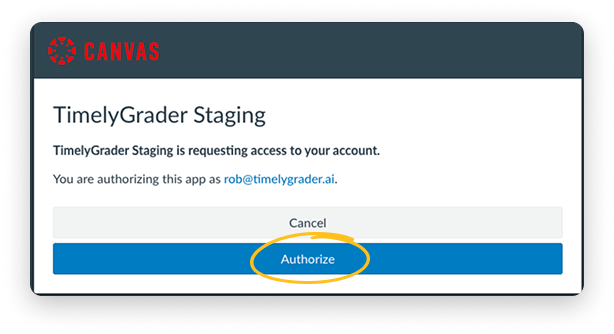
5. Click the created link --> direct to TimelyGrader for authorization
6. Authorize
7. For first time users, Add First Name, Last Name, Preferred Name (Optional)
8. Within TimelyGrader:
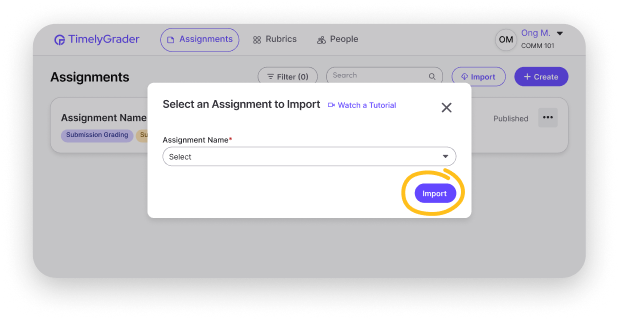
Import Course: We suggest first time to import a previous semester’s course
Import Assignment: We suggest first time to import a previously graded assignment with: