
What file types does TimelyGrader support?
As TimelyGrader can handle multiple file submissions, there could be a range of file types that students submit. Currently, TimelyGrader can support file types in the below list:
💡 Supported file types: .pdf, .docx, .doc, .xls, .xlsx, .csv, .ppt, .pptx, .mp4, and .mov
What file sizes does TimelyGrader support?
Another important factor to consider is file size. Even if students submit a file type that is supported, it may exceed our file size limit.
For written documents such as PDFs, Word documents, or Excel worksheets, each file submitted must be under 32MB per file. For video files, each file must be under 300MB.
Each student’s submission must not exceed 500MB in total.
What happens when students upload an unsupported file?
If students submit unsupported file types (such as .pages) as their Assignment submission or a file that is too large (a PDF that is 50MB), TimelyGrader will still show you the file(s) that are unsupported like below:
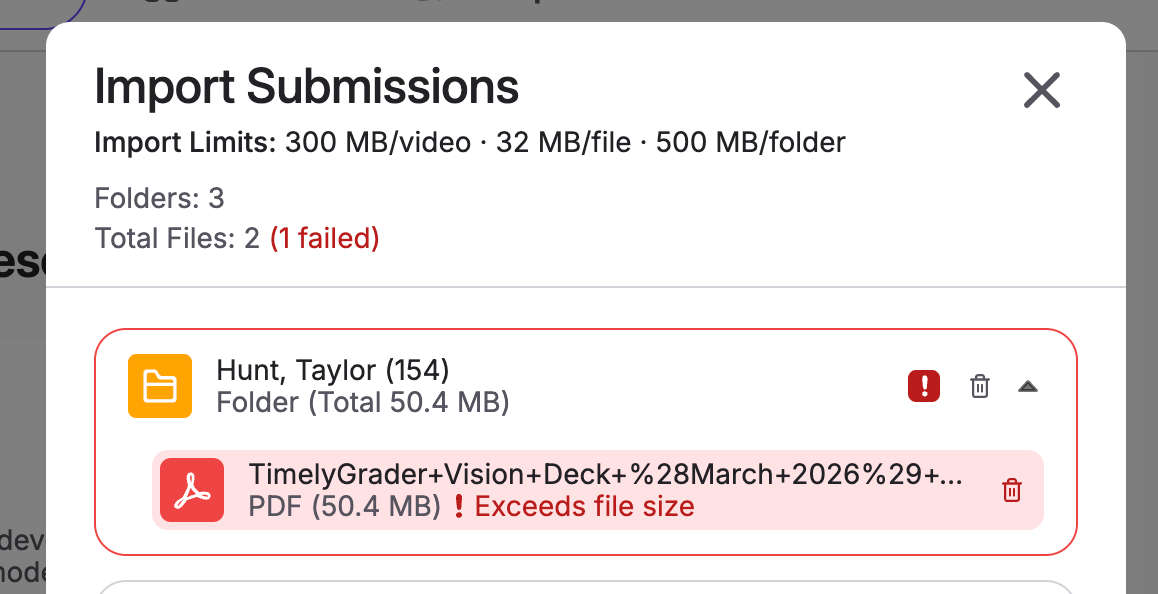
We will flag if it is due to a file size issue or a file type issue so that you are fully aware. You will need to delete the problematic files before proceeding with the import to prevent downstream errors such as analyzing student work without all the necessary files.
We recommend that you reach out to your students to ask them to re-submit with the correct file type and sizes so we can import again.
Utilize your Canvas Assignment settings to prevent this from happening.
To avoid students uploading files that we cannot process, ensure that you select File Uploads and Restrict Upload File Types on your Canvas assignments.
If you opt for Restrict Upload File Types, you can copy the following extensions:
pdf,docx,xls,xlsx,ppt,pptx,csv,mov,mp4
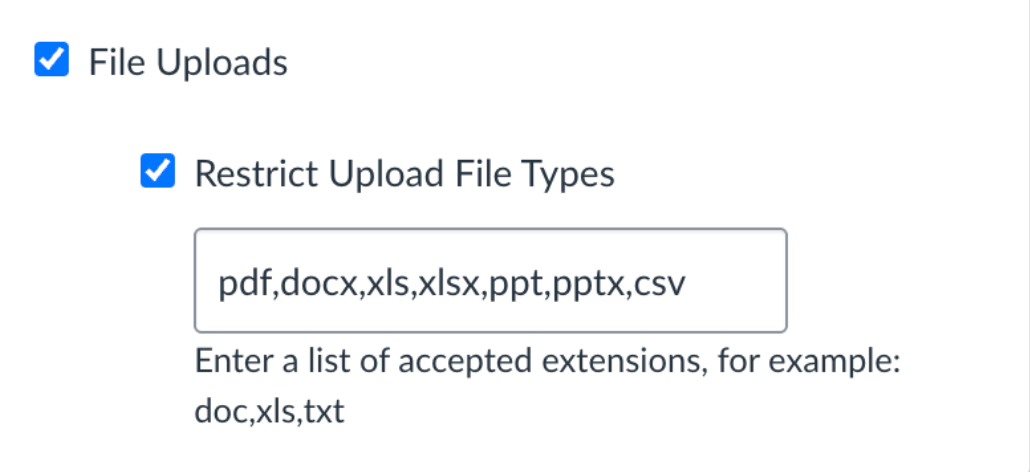
💡Note: This will not prevent issues with file sizes if they exceed our limits. We recommend adding language in your assignment description to help prevent this from happening.